Best Mouse for Big Hands? Logitech Signature M550 L Review (Dad Hands Approved)
Man hands are real. Time to get a full size mouse for big hands! My Logitech Signature M550 L review breaks down why this quiet wireless mouse is perfect for comfort, productivity, and all-day use without annoying clicks.
Man hands are real. Time to get a full size mouse for big hands! My Logitech Signature M550 L review breaks down why this quiet wireless mouse is perfect for comfort, productivity, and all-day use without annoying clicks.
by
Eric Sharp

Modified last on
Jun 28, 2026
Topics
Amazon Affiliate Disclaimer
This content may contain affiliate links, which means that if you click on one of the product links, I may receive a small commission to help purchase more Dad-friendly products to do more helpful reviews! As an Amazon Associate I earn from qualifying purchases.
If you’ve ever tried working all day with a tiny travel mouse, you know the pain.
Your hand cramps, your patience disappears, and suddenly checking email feels like assembling IKEA furniture with tweezers.
This Logitech Signature M550 L review is for dads who want a simple, comfortable, full-size computer mouse without turning their desk into a spaceship full of extra buttons.


My Quick Video Review
Here’s a quick video review of the Logitech Signature M550 L Full Size Wireless Mouse:
Other products to complete your computer setup
Here are a few complementary products you may be interested in pairing with [this product]:
- Need a new computer? Save a ton of $$$ and buy a refurbished Dell Optiplex 7060. Don’t let an old computer slow down your productivity!
- Upgrade your lighting. This flexible gooseneck LED lamp is a best seller on Amazon for a reason. My son loves it!
- Power strip. I have a few of these TESSAN surge protectors/power strips. The flat wall plug design will always be a useful design feature.


Pros and Cons
Here’s a quick breakdown of what Dad liked, and what can be improved about this full size wireless mouse.
What I liked
- Great size for larger hands – The M550 L feels much more natural than small travel-sized mice.
- Extremely quiet clicks – The SilentTouch clicks and scroll wheel are surprisingly quiet.
- Simple design – No extra gaming buttons to accidentally hit.
- Easy Bluetooth setup – Connected quickly to a Windows 11 PC.
- Comfortable side grip – The rubberized thumb area gives it a secure, comfortable feel.
What can be Improved
- Not for button-heavy users – This is both a pro and a con, depending on your needs. If you love programmable side buttons, this keeps things intentionally simple. Which is what I wanted.
- No USB-C adapter included – The Logi Bolt receiver is USB-A, so some laptops may need an adapter.
Quick Verdict
The Logitech Signature M550 L is an easy recommendation if you want a simple, comfortable, full size mouse that works well for larger hands. It’s quiet, smooth, easy to connect, and does exactly what most dads need without all the extra button chaos.
Top Amazon Reviews
Don’t just take my word for it—here’s what other Amazon buyers commonly mention about the Logitech Signature M550 L.
- “Perfect for larger hands” – Many buyers like that the L version feels more comfortable than smaller wireless mice.
- “Shockingly quiet clicks”– A common theme is how noticeable the noise reduction is compared to older mice.
- “Simple and reliable” – Reviewers often appreciate that it connects easily and avoids unnecessary extra buttons.
Unboxing – What’s Inside?
Inside the box, you get the Logitech Signature M550 L wireless mouse, one AA battery, and the Logi Bolt USB receiver. The receiver is stored inside the mouse, which is great because tiny USB dongles have a magical ability to disappear into the same universe as missing socks.
Specifications
- Size: Full size, designed for larger hands
- Color: Black / Graphite
- Connectivity: Bluetooth Low Energy or Logi Bolt USB receiver
- Battery: 1 AA battery
- Battery Life: Up to 24 months
- Scroll Wheel: SmartWheel with precision and fast scrolling
- Click Noise: 90% less click noise with SilentTouch technology
- Compatibility: Windows, macOS, Linux, Chrome OS, iPadOS, Android
- Recycled Plastic: 66% certified post-consumer recycled plastic for the Graphite model
Dad’s 5 Key Features
Here are the five features that stood out after switching from an old corded mouse to the Logitech Signature M550 L.
1. Full Size Design for Larger Hands
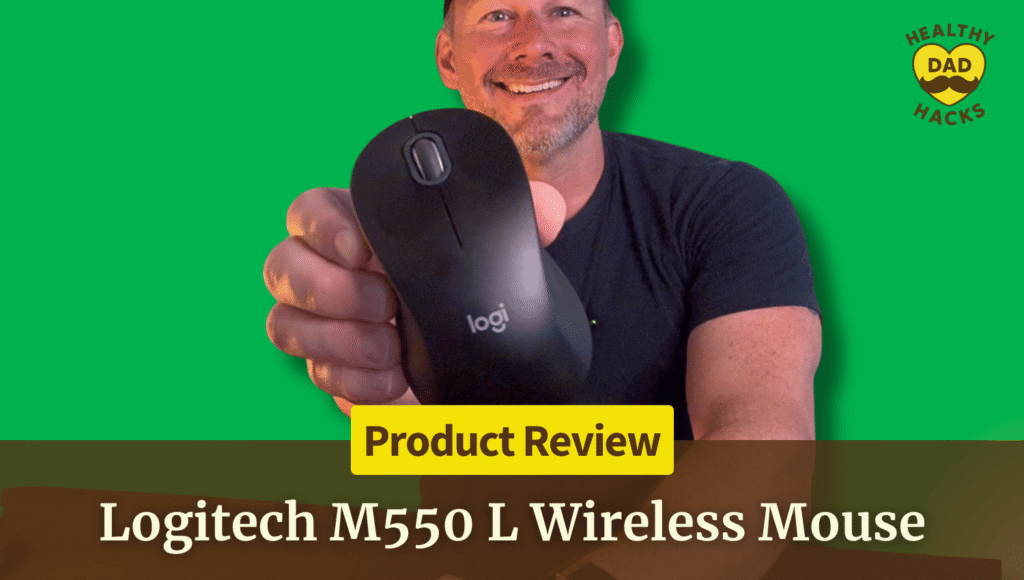
The biggest reason I picked the Logitech Signature M550 L is the size. I do not like small mice when I’m working at my computer all day. Big dad hands and tiny travel mice are not a great combo. This one feels closer to a traditional full-size mouse, which makes it much easier to grip naturally without hand fatigue setting in.
2. SilentTouch Clicks
The quiet clicking surprised me the most. Logitech says it has 90% less click noise, and honestly, you notice it right away. Compared to my old wired mouse, the difference was dramatic. The clicks are soft, the scroll wheel is quiet, and it feels like a much better option for shared offices, home offices, or recording spaces.
Dad Tip: If you’re working near your kids, spouse, or on video calls, a quieter mouse is one of those tiny upgrades that makes your desk feel less annoying to everyone around you.
3. Simple, Clean Button Layout
I like that this mouse does not try to be a gaming mouse. There are no extra side buttons, no complicated controls, and nothing sitting right where your thumb accidentally bumps it. For everyday productivity, that simplicity is a win. You get the left click, right click, scroll wheel, and a clean design that just works.
4. Bluetooth or USB Receiver Connection
The setup was about as easy as it gets. I connected mine through Bluetooth on a Windows 11 computer, and it showed up right away. Battery in, power button on, pair it, done. If Bluetooth is not your thing, Logitech also includes the Logi Bolt USB receiver, and it stores inside the mouse, so it does not get lost.
Dad Tip: Keep the USB receiver tucked inside the battery compartment if you use Bluetooth. That way, if you ever switch computers or need a backup connection, it’s already there.
5. Comfortable Rubber Side Grip
The top of the mouse has the smooth feel you would expect, but the side grip is what helps it feel secure. The thumb area has a firmer rubber texture that makes it easy to hold without feeling sticky or bulky. After a few hours, it felt natural, comfortable, and like a mouse I could use every day.
Dad’s Final Thoughts
Fun fact: the first computer mouse was invented in the 1960s and was actually made with a wooden shell. So yes, we’ve come a long way from dragging a tiny wooden box across a desk to using quiet Bluetooth mice with two-year batteries.
The Logitech Signature M550 L may not be flashy, but that’s exactly why I like it. It is simple, quiet, comfortable, and built for people who spend a lot of time at a desk. If you have larger hands and want a full size wireless mouse without extra buttons getting in the way, this one is a strong Dad-approved pick.
Get Dad Content Monthly!
The best things I find every month — products, nostalgic discoveries, Dad hacks, and ideas.
One email. Once a month.
First email sent on the 1st of the month
You got this, Dad.
Save time and money, avoid trial-and-error
Every day of Dadhood matters. Don't waste hours researching products or making expensive mistakes. Buy smarter, rediscover nostalgic fun, and create more family memories.


About this Dad
Eric Sharp is the founder of Healthy Dad Hacks. He's married to the love of his life (Sarah) and proud Dad of a blended family (Hazel, Roman, & Dean). When not thinking about Dadhood, he enjoys; CrossFit, entrepreneurship, eating steak, growing his Michael Jordan card collection, 90s music, and fancy sneakers.
Don't leave yet, there's more!