Best Mouse for Big Hands? Logitech Signature M550 L Review (Dad Hands Approved)
Still squeezing your hand around a tiny mouse? I wanted a better fit without a bunch of extra buttons. My Logitech Signature M550 L review covers the switch from a 15-year-old wired mouse, the surprisingly quiet clicks, easy Bluetooth setup, and the battery claim I haven’t tested yet.
Still squeezing your hand around a tiny mouse? I wanted a better fit without a bunch of extra buttons. My Logitech Signature M550 L review covers the switch from a 15-year-old wired mouse, the surprisingly quiet clicks, easy Bluetooth setup, and the battery claim I haven’t tested yet.
by
Eric Sharp

Modified last on
Nov 18, 2026
Topics
Amazon Affiliate Disclaimer
This content may contain affiliate links, which means that if you click on one of the product links, I may receive a small commission to help purchase more Dad-friendly products to do more helpful reviews! As an Amazon Associate I earn from qualifying purchases.
Big Dad hands and a tiny computer mouse are a lousy combination.
I wanted to replace my roughly 15-year-old wired mouse without shrinking the thing I hold all day. This Logitech Signature M550 L review comes from that very practical desk upgrade.
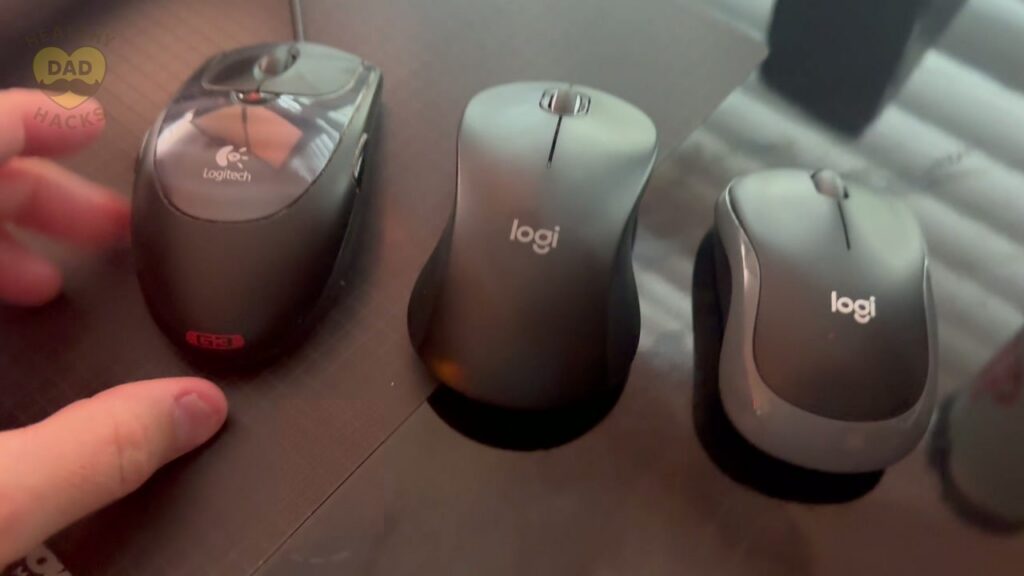
In my video, I compare it with my old mouse and the smaller one on my kids’ computer. I also demonstrate the clicks, scrolling, side grip, and receiver storage.
I wanted a wireless mouse for large hands with simple controls. After connecting it to Windows 11 through Bluetooth, I settled in within a few hours—and the quietness caught me off guard.
 Quick Summary
I'd recommend the Logitech Signature M550 L for larger hands and simple wireless desk use. Mine paired easily with Windows 11 over Bluetooth, felt natural within hours, and sounded much quieter than my old wired mouse. I like having no side buttons to bump. Choose the L version for the larger size; I haven't verified Logitech's advertised 24-month battery life.


My Quick Video Review
Here’s a quick video review of the Logitech Signature M550 L. Watch my size comparison, listen to it beside my old wired mouse, and see the grip and receiver compartment.
Other Products for Dad’s Desk
Here are a few other products you may be interested in, Dad.
- Give the mouse a workstation. My Dell OptiPlex 7060 refurbished desktop PC review covers the compact computer I added to my family’s setup.
- Light the whole workspace. The Airlonv gooseneck LED desk lamp review shows how I improved the lighting at my son’s desk under his bunk bed.
- Keep a place for the brain dump. A mouse handles the screen; my PAPERAGE medium spiral notebook review covers the 5.5-by-8-inch notebook I use for planning and project notes.


Pros and Cons
Here’s a quick breakdown of what Dad liked, and what can be improved about this full-size wireless mouse.
What I Liked
- A full-size fit. It felt comparable in size to the wired mouse I was replacing, rather than the smaller mouse on my kids’ computer.
- Surprisingly quiet operation. Both the clicks and scrolling sounded dramatically quieter than my old mouse in my comparison.
- No side-button clutter. The simple layout gives me the basic clicking and scrolling I wanted without thumb buttons to bump.
- Easy Windows 11 pairing. Mine appeared in Bluetooth settings and connected without a drawn-out setup.
- A comfortable rubber side grip. The textured sides felt secure, and getting accustomed to the mouse took only a few hours.
Dad’s Honest Callouts
- Make sure it’s the L version. Logitech also offers a smaller M550. I chose the M550 L specifically because I wanted a mouse for larger hands.
- The battery claim is still a claim. Logitech advertises up to 24 months from one AA battery. I haven’t used mine that long, so I can’t personally confirm it.
- Simple means fewer shortcuts. The missing side buttons are a selling point for me. If those buttons are part of your daily workflow, this layout may feel limiting.
Top Amazon Reviews
Don’t just take my word for it — here’s what other Amazon buyers commonly mention about the Logitech Signature M550 L.
- “A roomier place for Dad’s hand” – Buyers often appreciate the larger fit, though feedback on the shape and ergonomics is mixed.
- “Less click-clack at the desk” – Quiet operation and easy Bluetooth pairing are recurring positives in buyer feedback.
- “Button feel is personal” – Some buyers find the left click takes more pressure, while others say the right button activates too easily.
Unboxing – What’s Inside?
Here’s what comes in the box:
- Logitech Signature M550 L wireless mouse
- AA battery
- Logi Bolt USB receiver, stored inside the mouse

Specifications
- Size: Full-size L model for larger hands
- Color: Black
- Connections: Bluetooth Low Energy or Logi Bolt USB receiver
- Power: One AA battery
- Advertised battery life: Up to 24 months
- Scroll wheel: SmartWheel with precise and fast scrolling
- Compatibility: Windows, macOS, Linux, Chrome OS, iPadOS, and Android
Dad’s 5 Key Features
Here are the five features that stood out after I replaced my old wired mouse with the Logitech Signature M550 L.
1. A Full-Size Fit for Larger Hands
I didn’t want going wireless to mean going smaller. In my side-by-side comparison, the M550 L is similar in size to the wired mouse I was replacing and noticeably larger than the mouse on my kids’ computer. That was the point: a full-size mouse I could grip naturally instead of curling my hand around a little travel mouse.
2. Quiet Clicks and Scrolling
The quietness surprised me more than anything else. I demonstrate the M550 L and then my old wired mouse so you can hear the difference yourself. The new mouse’s clicks feel soft, and the wheel is quiet, too. For working near other people, that seems like a thoughtful little upgrade. My comparison is a listening test, rather than a measured noise test.
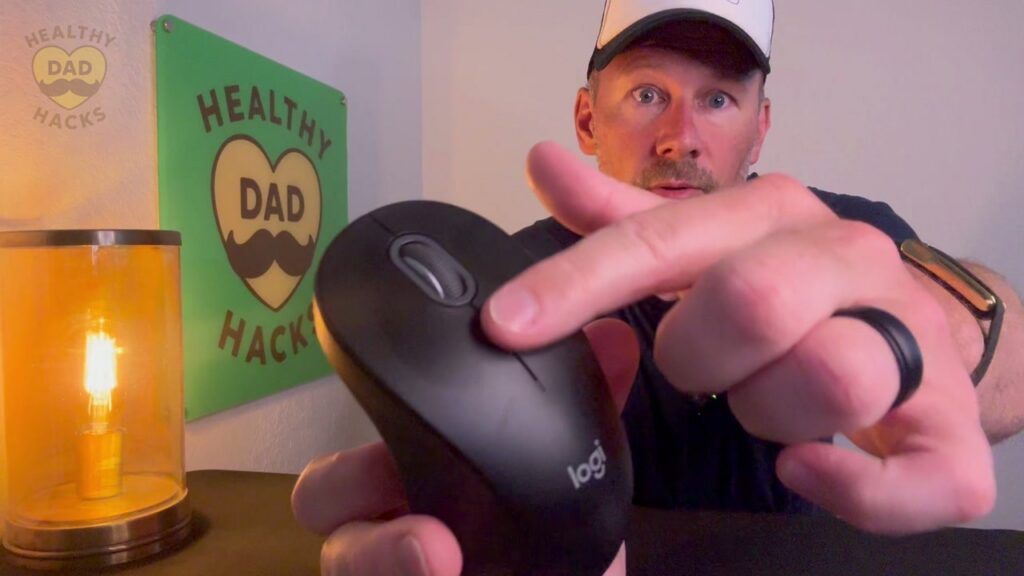
Dad Tip: Listen to both mice in my video before buying; the old-versus-new comparison makes the sound difference easier to judge.
3. Simple Controls Without Side Buttons
I wanted a mouse, not a control panel. The M550 L gives me left click, right click, and a scroll wheel without extra buttons along the sides. That matters because I don’t want my thumb accidentally triggering something while I’m working. If you’re looking for a mouse without side buttons, this clean layout is a big part of its appeal.
4. Easy Bluetooth Setup and Receiver Storage
I connected mine through Bluetooth on Windows 11. I checked the battery, turned the mouse on, selected it when it appeared on my computer, and disconnected my old mouse. During use, I didn’t notice delays or dragging that interrupted my work. There’s also a Logi Bolt USB receiver tucked inside the mouse, giving me another connection option without a loose dongle to track down.
Dad Tip: If you connect through Bluetooth like I did, keep the receiver in its storage slot inside the mouse so it doesn’t disappear.
5. A Rubber Grip That Felt Natural Quickly
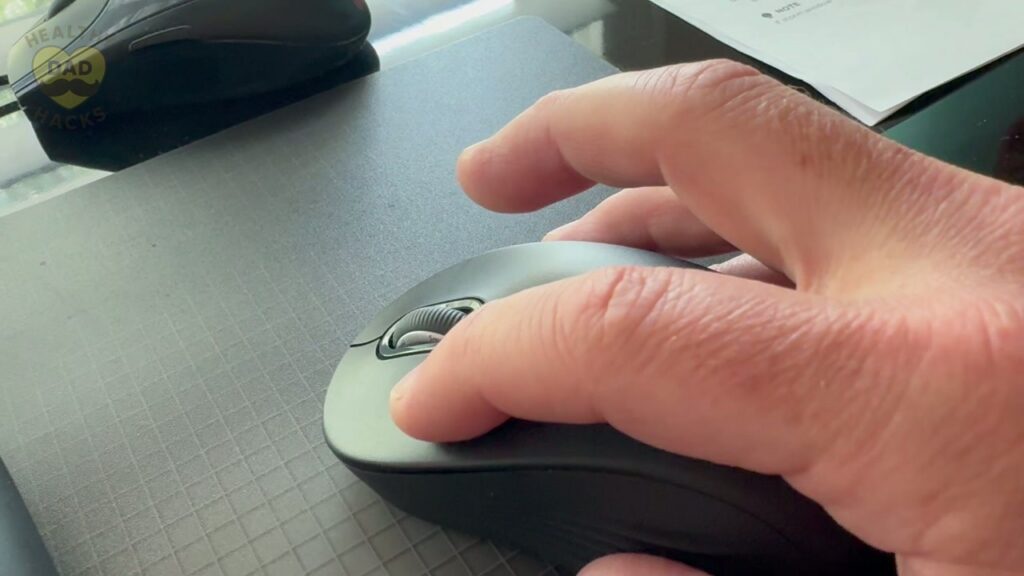
The top has the smoother finish I expect from a mouse, while the sides have a firmer, grippy rubber texture. Holding it felt comfortable right away, and it took only a few hours to feel accustomed to using it. That’s my experience with my hand size and grip; the useful takeaway is how the shape and side material work together when I hold it.

Dad’s Final Thoughts
Fun Fact: The first computer mouse prototype had a wooden shell and just one button—a tiny woodworking project with a very big future. The Doug Engelbart Institute tells its story.
After hanging onto my old mouse for about 15 years, I’m glad I finally made the switch. Sometimes getting Dad’s desk sorted starts with the thing already under his hand.
Get Dad Content Monthly!
The best things I find every month — products, nostalgic discoveries, Dad hacks, and ideas.
One email. Once a month.
First email sent on the 1st of the month
You got this, Dad.
Save time and money, avoid trial-and-error
Every day of Dadhood matters. Don't waste hours researching products or making expensive mistakes. Buy smarter, rediscover nostalgic fun, and create more family memories.


About this Dad
Eric Sharp is the founder of Healthy Dad Hacks. He's married to the love of his life (Sarah) and proud Dad of a blended family (Hazel, Roman, & Dean). When not thinking about Dadhood, he enjoys; CrossFit, entrepreneurship, eating steak, growing his Michael Jordan card collection, 90s music, and fancy sneakers.
Don't leave yet, there's more!